Why We Check Bytes Instead of the Clock So Documents Don’t Go Blank After `git checkout`
Have you ever switched branches only to find that an open document had turned into a blank screen? We saw that happen in our app while taking screenshots for the blog, and while fixing it, we caught another, quieter bug too.
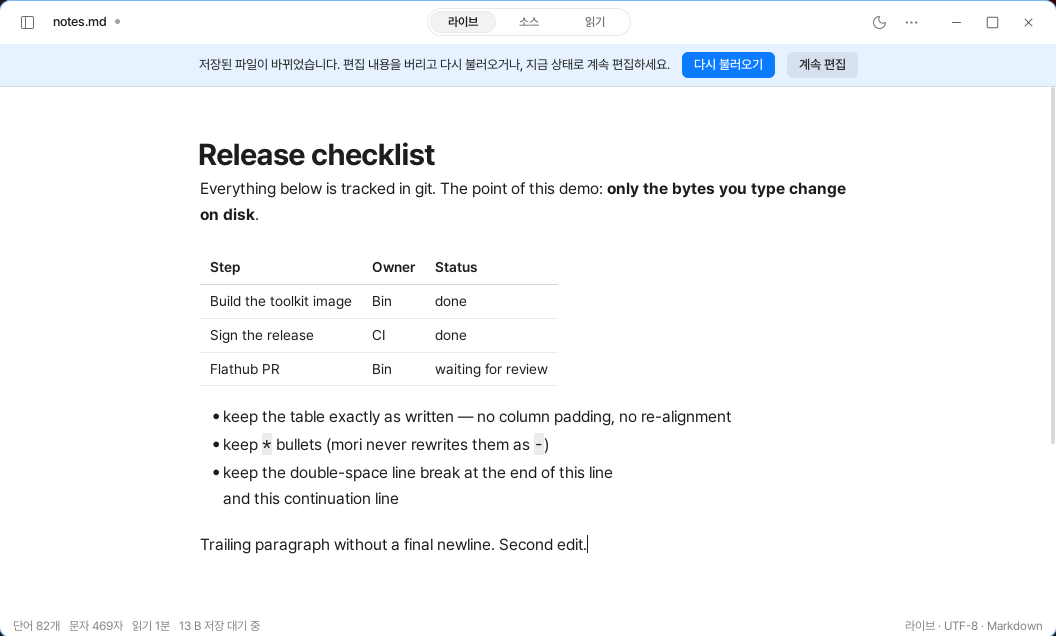
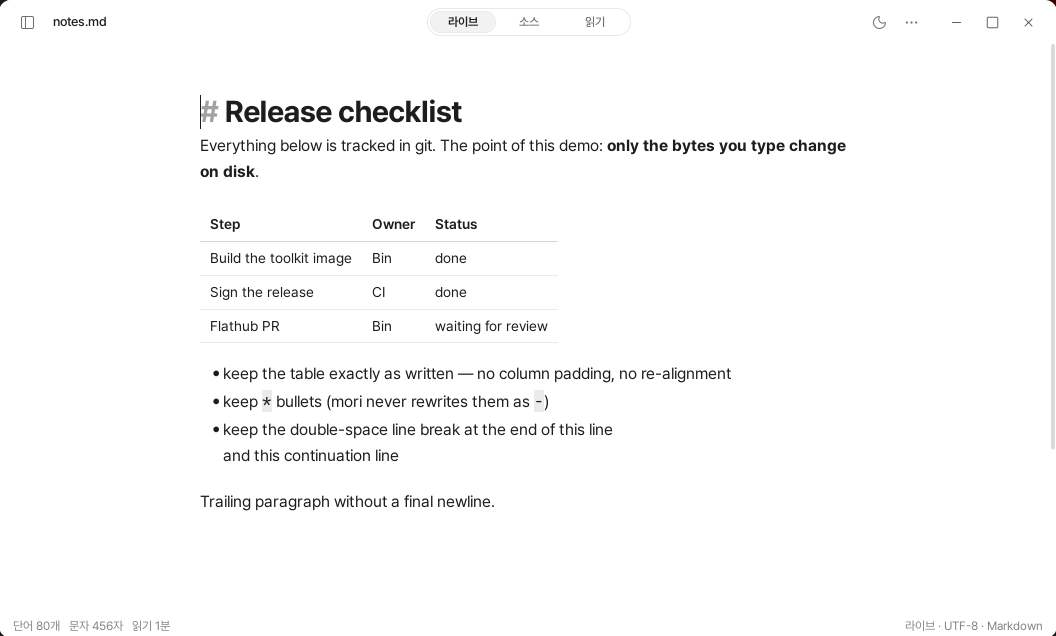
mori trusts files exactly as they are. What you see on the screen matches the bytes on disk, and when you save, it writes those bytes exactly as they are.
But what happens when a file changes outside the app? If mori does not notice, the next save could overwrite what someone else wrote.
We discovered this problem while taking screenshots. As we switched back and forth between branches to prepare the “changing bytes” screen, the document would sometimes get stuck on a blank screen.
Two Problems Hidden Behind the Blank Screen
git checkout does not replace a file all at once. It deletes the existing file, creates a new one, and then writes its contents.
The file watcher reports this process as several events. But mori was reading the file as soon as the first event arrived. Sometimes it read an empty file because the contents had not been written yet.
It also recreated the watcher when rereading the file. In the meantime, the events still pending in the old watcher disappeared, leaving the screen stuck in a blank state.
There was an even more dangerous problem.
After saving, mori treated events arriving within 1.5 seconds as “changes I made” and ignored them. But a formatter or save hook could modify the file again during that interval.
In fact, if the file changed 0.3 seconds after a save, mori showed no change at all. If the user saved again, the externally modified content quietly disappeared.
One problem was visible, and the other was not. They had the same cause.
We were judging file changes by time rather than by content.
We Compared Content Instead of Time
Now, when a file event arrives, we do not read the file immediately. We wait for 200ms, restarting the wait each time a new event arrives.
This means we read the final state only once, after the process of deleting, creating, and writing the file has finished. We invalidate old timers with a generation number. We also avoided creating a timer that keeps running when nothing is happening.
The content we read is compared with the disk bytes last seen by the buffer.
If they match, the app either saved the file or the same content was written again. If they differ, it is a real external change. It does not matter whether 0.1 seconds or 1 second has passed since the save.
When rereading the same file, we also keep the watcher running. This prevents events from disappearing while the watcher is being replaced.
We Ask Only When You Are Editing
After detecting an external change, we look at the user’s state.
If there are unsaved edits, we show a banner. The user can choose whether to reload the changed file or keep editing the current content. Either choice could result in content being lost, so the app does not decide on the user’s behalf.
If the user is not editing, we load the new content immediately. We do not show a banner, and we preserve the caret and scroll positions. When reading a document while switching between branches, keeping your place feels more natural than showing a notification.
We do not decide immediately when a file disappears, either. Another editor may be in the middle of renaming the file, so we check again after 300ms.
If the file is still missing then, we notify the user. The content being written remains in the buffer, and saving again recreates the file.
We Check Six Things in a Real Environment
This problem is difficult to verify with unit tests alone. That is because it occurs when the file watcher, the actual disk, and the window manager are all working together.
So we created checks that run in a real environment.
We check whether the buffer continues to follow the file even after switching branches ten times, and whether a file change made 300ms after saving is still reflected. We also check that no notification appears when the app saves the file itself, and that an external change during editing shows a banner while preserving what the user wrote.
There are six checks in total. We run them with every release.
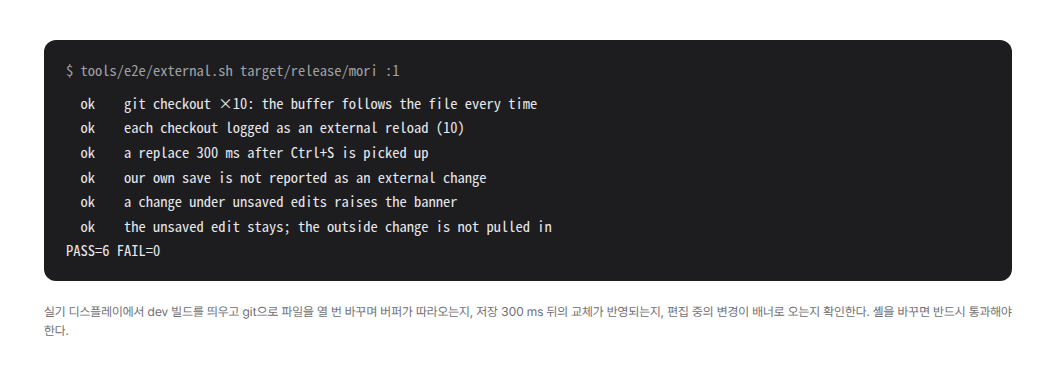
tools/e2e/external.sh on a physical display. All six lines say ok, and the final line says PASS=6 FAIL=0.Treating files as the source of truth does not end with writing saved content exactly as it is.
When a file changes without our knowledge, we must not miss that change either.