Table Editing That Preserves Hand-Typed Tables Exactly as Written
Have you ever fixed just one word in a table, only to see the entire table show up in git diff? Tables are where Markdown most often gets out of alignment.
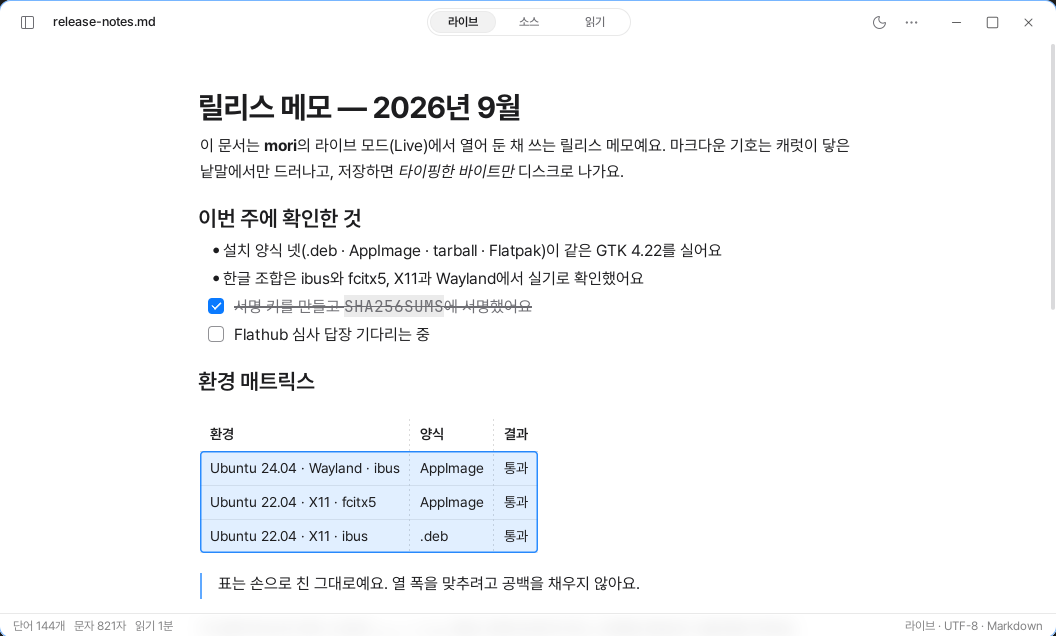
Markdown tables retain traces of their hand-crafted formatting. You line up the pipes neatly, adjust column widths with spaces, and sometimes even disrupt the alignment on purpose. That shape itself is part of the file’s source text.
But an editor that displays a table as a grid has to interpret the source text. If it automatically aligns the table when saving it again, the shape created by the person changes too.
Typora’s automatic table alignment is known for doing this. It fills the spaces between pipes to make the column widths match, and that result is written to the file when it is saved. This behavior is documented in a public issue, and there is also a separate request for an option to turn it off.
mori decided not to do that. It displays tables as grids on the screen while leaving the hand-written source text unchanged in the file.
Only the cell you are editing appears as source text
Even when you click a table in live mode, the grid remains as it is. Only the cell containing the caret changes into source text, with the pipe characters shown faintly.
You can move to another cell with Tab or the arrow keys. Pressing Enter in the last row creates a new row.
Selection feels natural too. If you drag within a cell, only the text is selected. If you drag beyond the cell, multiple cells are selected as a rectangle, and copying turns only the selected cells into a table. The first row becomes the header, and the alignment is preserved.
When a selection that starts outside the table reaches the table, the entire table is selected. You do not end up awkwardly selecting only half of it.
You can also move entire rows and columns. When you hover over a table, handles appear to the left of each row and above each column. Just drag one to the position you want.
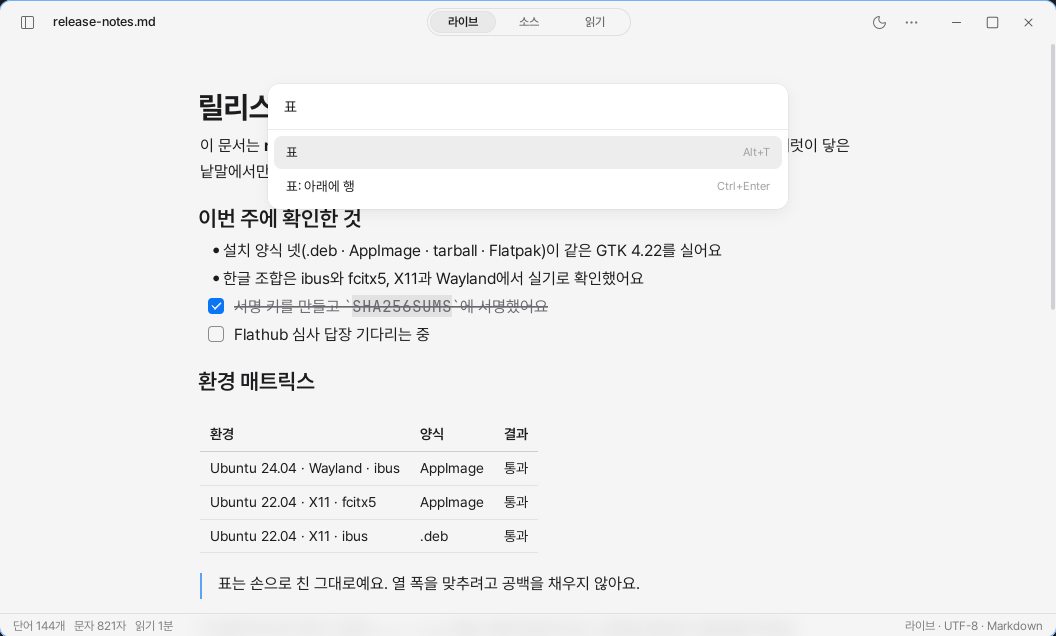
The right-click menu lets you add or delete rows and columns. Each action is handled as a single edit, so it can be undone in one step. The source text of untouched cells does not change either. You can find the same features in the command palette.
One pipe made the table collapse
At first, whenever you entered a pipe inside a table, a backslash was always added. That was because I had only considered the case of inserting a pipe character inside a cell.
But for people who write Markdown tables directly, pipes are the symbols that separate cells. When they entered a new row, even the separators were turned into literal characters, and the table collapsed.
So I changed it to take the input position into account.
If you enter a pipe at the beginning of a row, it is ignored. If a separator already follows it, the caret moves to the next cell. It is escaped only when you enter a pipe in the text inside a cell. And if you write a row beginning with a pipe immediately below a table, it continues as a new row in the existing table.
Problems like this are difficult to find by looking at the code alone. So I created tests that click tables and drag handles in an actual window. They check whether the table is rendered correctly, whether rows and columns move in the intended direction, and whether the app crashes in the process.
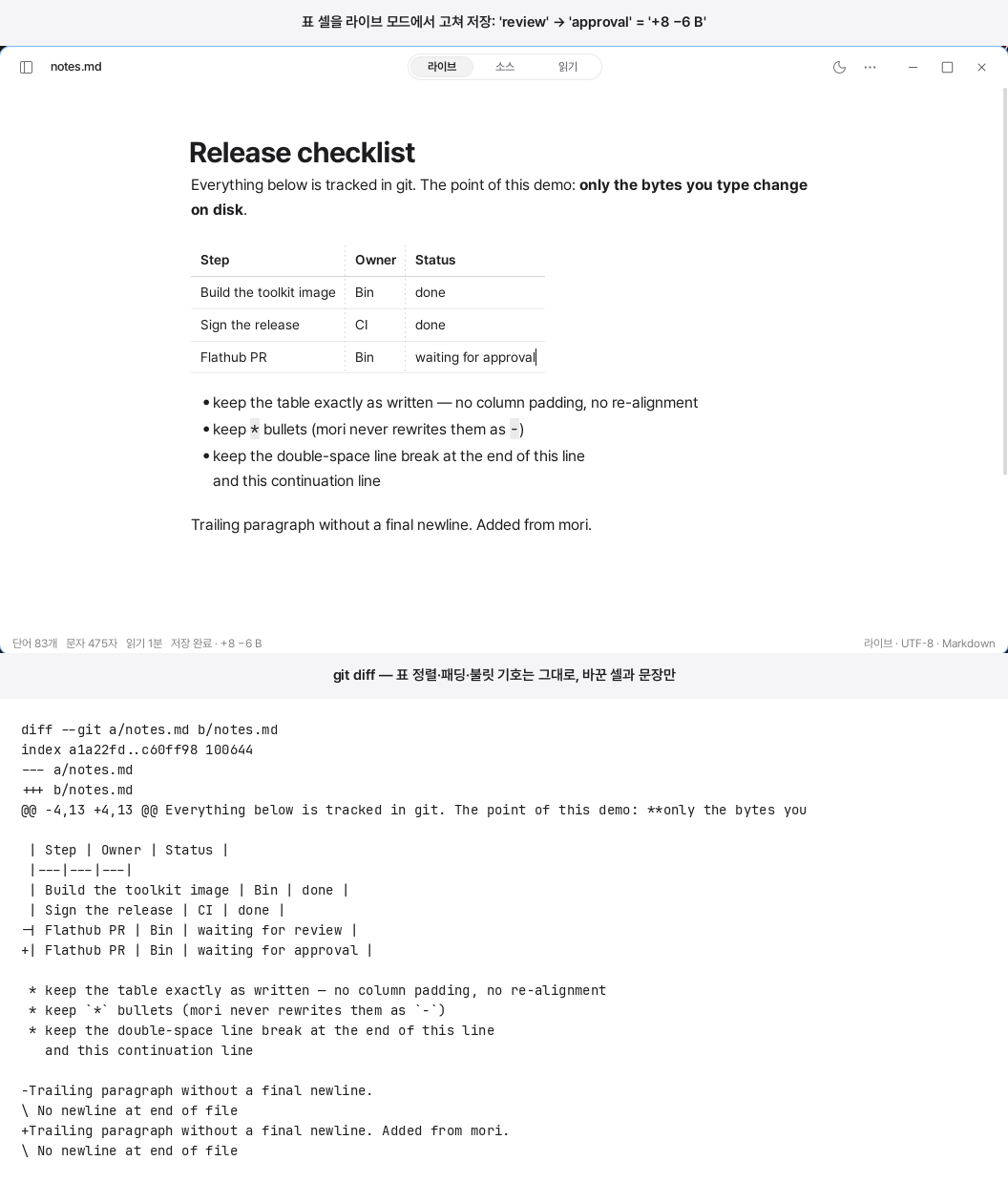
The result becomes even clearer after saving. If you change only one word in one cell, only that row appears in git diff.
The spaces used to align columns, the asterisks used as bullet markers, and the two spaces at the ends of lines all remain unchanged. If the file did not have a final newline, even that state is preserved. The status bar lets you immediately see how many bytes changed during the save.
Some features were added and later removed
For a while, you could adjust column widths with the mouse. That feature is gone now.
Markdown has no syntax for storing column widths. Remembering the widths would require creating a separate file alongside the document. That would make the folder complete only when mori is present. If you moved it with git, opened it on another device, or used a different editor, that information would be missing.
Table borders were handled through the app settings. You can choose whether tables appear as grids or have a line only below the header. The same setting applies on screen and when exporting to PDF or HTML.
The rule is simple. A value that cannot be written in Markdown either belongs in the app settings or does not become a feature.
That is why I removed the column-width adjustment feature. Column widths are determined automatically based on their content. The document remains a single .md file all the way through.
An editor that rewrites your table to make it pretty, and an editor that preserves the table exactly as you wrote it.
mori chose the latter.